You commission a website. The designer creates a beautiful design. The site goes live. Then you wait for Google traffic — and nothing happens.
This is one of the most common frustrations among website owners. Not because the design was bad, and not because the SEO work was poor — but because the two tried to fit together independently, after the fact. This almost never really works.
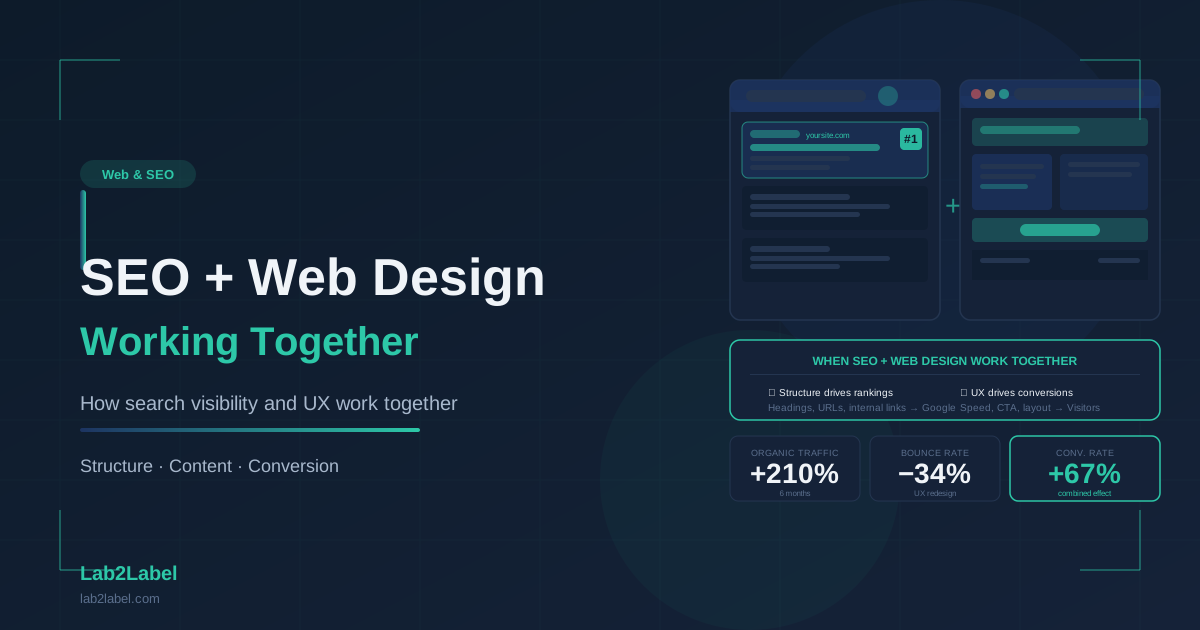
SEO and web design are not sequential tasks. They are an interlocking system whose foundations must be laid at the very beginning of the design process.
Why Can't You Just "Bolt On" SEO After a Website Is Built?
The most common misconception: the website is built, then the SEO specialist fills in the meta descriptions, sprinkles in keywords, and it's done. This picture unfortunately doesn't reflect how search engine optimisation actually works.
Many of the factors that affect a page's SEO performance are coded into the design and development decisions:
- Site structure and URL hierarchy
- Load speed (Core Web Vitals)
- Mobile-friendly rendering
- Heading hierarchy (use of H1–H6)
- Internal link structure
- Image optimisation and alt text
- Schema markup
- Crawlability — can the Google bot move through the site?
Correcting these after the fact on a finished website is not only more expensive, but often involves compromises. The best results come when SEO and design considerations are at the table simultaneously.
Site Structure: The Skeleton of SEO
The best web design won't help if the page structure is disorganised. Google looks for a hierarchical, logical structure — just as a book has a table of contents, chapters, and sub-sections.
A well-structured website:
Homepage (/)
├── Services (/services)
│   ├── Website Design (/services/website-design)
│   ├── Webshop Development (/services/webshop-development)
│   └── Brand Identity (/services/brand-identity)
├── Portfolio (/portfolio)
├── Blog (/blog)
│   └── Articles (/blog/article-slug)
└── Contact (/contact)
This structure is comprehensible to both the visitor and Google's crawler. URLs describe where you are. Internal links reinforce which pages are most important. Hierarchy signals the relationships between topic areas.
What to avoid:
- Deep, multi-level URLs without reason (
/en/services/web/design/landing-page/basic/package) - Duplicate content on identical or similar URLs
- Orphan pages that nothing links to
- Dynamically generated URLs with meaningless parameters
Core Web Vitals: Google's Speed Metrics That Affect Rankings
Since 2021, Google has officially treated Core Web Vitals metrics as ranking factors. These focus on three things:
- LCP (Largest Contentful Paint): How quickly does the main content appear? Good value: under 2.5 seconds.
- INP (Interaction to Next Paint): How quickly does the page respond to clicks and typing? Good value: under 200ms.
- CLS (Cumulative Layout Shift): Does the page jump around during loading? Good value: under 0.1.
These are not only important for user experience — Google uses them to rank pages. A beautiful but slow website is disadvantaged in search compared to a simpler but fast one.
What most commonly damages Core Web Vitals?
- Large, uncompressed images (degrade LCP most)
- Loading order problems — content "jumps" on appearance (CLS)
- Unnecessary JavaScript, animations, external scripts (INP and LCP)
- Poor server performance or hosting
A design decision with SEO consequences: If a large, uncompressed video background is planned for the hero section of the homepage — it will guarantee a worse LCP. If this is known at the design stage, it can be solved in an optimised form. If it surfaces later, the change is more expensive.
Mobile-Friendly Design: No Longer Optional — It's a Baseline Requirement
Google applies mobile-first indexing — meaning it evaluates the entire website based on its mobile version. If the desktop version is perfect but mobile is poor — the SEO suffers.
What mobile design must achieve from an SEO perspective:
- All content is accessible on mobile too (not just text hidden on desktop)
- Text sizes are readable on mobile (minimum 16px body text)
- Tappable elements are not too close together
- Navigation is fully functional on mobile
- No Flash elements (of course), or other mobile-unsupported technologies
Responsive design alone is not a guarantee — a responsive site can still be poorly scaled, overcrowded, or slow on mobile.
Heading Hierarchy: The Framework of Content
H1–H6 headings are not just visual organisational elements — Google uses them to understand the topic and internal structure of a page.
The ground rules:
- Every page has exactly one H1 — this is the main title, containing the most important keyword
- H2s are the main sections of the page
- H3s are sub-points within sections
- Hierarchy must never skip levels (no H4 after H2 without an H3)
A typical design mistake: A designer plans a visually striking, large-font title that is technically implemented as a <p> tag (because "it looks right that way"), while the actual <h1> appears somewhere else in a smaller font. Google reads the code, not the visual presentation.
Image Optimisation: Where Most Websites Fall Down
Images on websites are, in most cases, the main performance drag — and simultaneously one of the biggest SEO opportunities.
Technical image requirements:
- Format: WebP (modern, smaller file size, better quality than JPEG)
- Sizing: only serve an image as large as it actually appears on screen
- Lazy loading: images further down the page should only load when the visitor scrolls to them
- Alt text: every image should have a descriptive alt text — this is Google's description of the image, and is also required for accessibility
The best result: Images are integrated in optimised form at the start of the development process — not replaced later when they're identified as slowing the site.
Internal Linking: The Best SEO Tool That Most People Ignore
Internal links signal to Google which pages are most important and how topic areas relate to each other. A strong internal link structure is an SEO advantage — and should be an integral part of the design process.
Internal linking principles:
- More internal links should point to the more important pages (e.g., main services)
- Blog articles should link to relevant service pages
- Avoid generic "click here" anchor text — make it descriptive ("webshop development", not "here")
- Navigation, footer, and body content are all part of the internal link network
From a design perspective: The structure of navigation, the links in the footer, the text on CTA buttons — all have SEO implications, and all are design decisions.
Schema Markup: Extra Communication for Google
Schema markup is a structured data format (JSON-LD) embedded in the website's code that gives Google extra context: this is an article, this is a product, this is a business, this is an FAQ section.
Why schema matters:
- Rich snippet display in search results (star ratings, price, date)
- Better content interpretation by Google
- Higher click-through rate (CTR) in organic results
Schema markup is added to the code during the development phase — it can be added later too, but if the design and development team plans for it upfront (e.g., "there will be a FAQ section, and we'll add schema markup to it"), the result is more cohesive.
What Does All This Mean in Practice?
Aligning SEO and web design doesn't have to be complicated. The key is that SEO considerations are present from the beginning of the design process — not added afterwards as a correction.
The ideal process:
- Keyword research before design — what is the target audience searching for?
- Site structure planning with SEO in mind
- Technical requirements built into the development specification (speed, mobile-friendliness, schema)
- Content and design co-developed — text and visual elements reinforce each other
- Technical SEO audit before launch — is everything in place?
Ready for a Website That Performs on Google?
Lab2Label designs and develops websites and webshops — with SEO considerations built in from the start. We don't bolt search optimisation on afterwards: design, development, and SEO are built together from day one.
Request a free consultation — we'll look at where your current site stands and what could be improved.